Free AI Image Editor — No Signup Required

Photo To Stained Glass

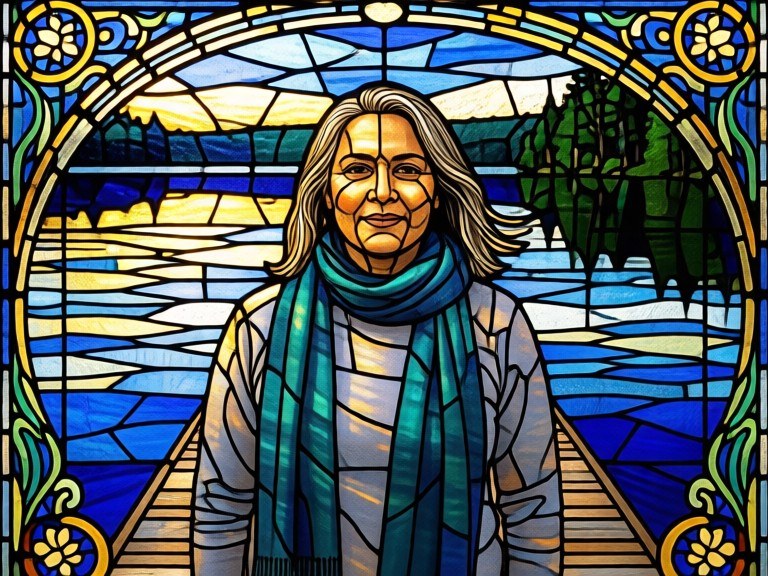
Turn a photo into a leaded stained-glass panel - segmented glass, dark came lines and glowing backlit colour - for wall art, cards, church-style projects and glass-craft pattern references.

Free · Instant · No registration

Create your own
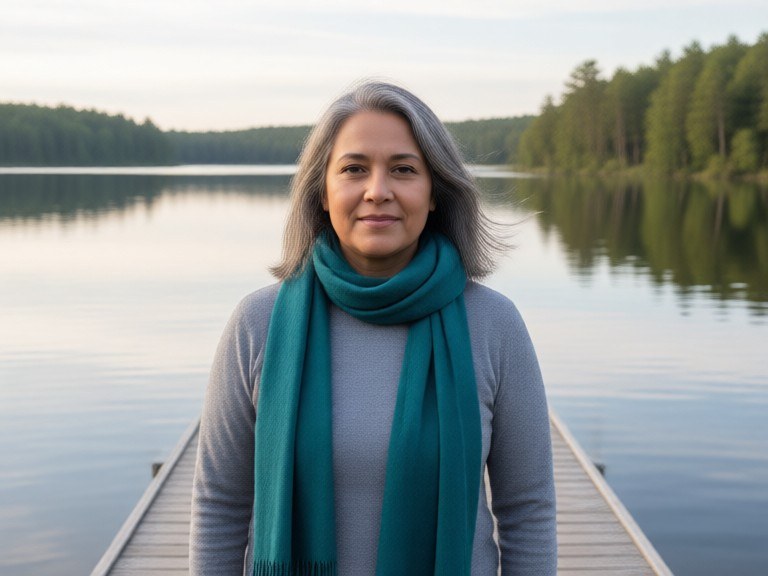
Photo To Stained Glass example resultBeforeAfter
Drag to compare. Made with Photo To Stained Glass.

Try these popular edits:

Turn this photo into stained glassChunky segments, bold lead linesDeep blue and gold paletteArt nouveau style windowFine detail stained glassCircular rose window layout

Why use Photo To Stained Glass?

🪟
Photo To Stained Glass
Turn a photo into a leaded stained-glass panel - segmented glass, dark came lines and glowing backlit colour - for wall art, cards, church-style projects and glass-craft pattern references.
🔄
Before & After Preview
See exactly how Photo To Stained Glass transforms your photo — compare original and edited side by side.
🆓
Free to Use
Photo To Stained Glass is free with no watermarks and no account required — edit as many photos as you like.
☁️
No Download Needed
Works entirely in your browser — no app or software installation required.

How it works

1
Upload Your Image
Select or drag & drop any photo you want to edit
2
Describe the Change
Tell the AI what to change in plain language
3
Get Instant Results
Download your edited image in seconds

Turn a photo into a leaded stained-glass panel - segmented glass, dark came lines and glowing backlit colour - for wall art, cards, church-style projects and glass-craft pattern references.

How the photo to stained glass works

Upload a photo with a clear subject. The tool breaks the composition into glass segments that follow its natural shapes, outlines each with lead came, fills them with saturated translucent colour and lights the panel as though sunlight is coming through it. Ask for finer or chunkier segmentation in your note, rerun, then download the panel you like for printing or as a pattern reference.

Tips for the best results

Bold, simple subjects work best - portraits, flowers, animals and landmarks. Busy scenes turn into visual noise once segmented. Ask for 'chunky segments' if you want a genuine, cuttable-looking pattern, or 'fine segments' for detail. Naming a palette, such as deep blues and golds, gives a much more cohesive window.

Frequently asked questions

Ready to try Photo To Stained Glass?

Free, instant, and no signup needed.