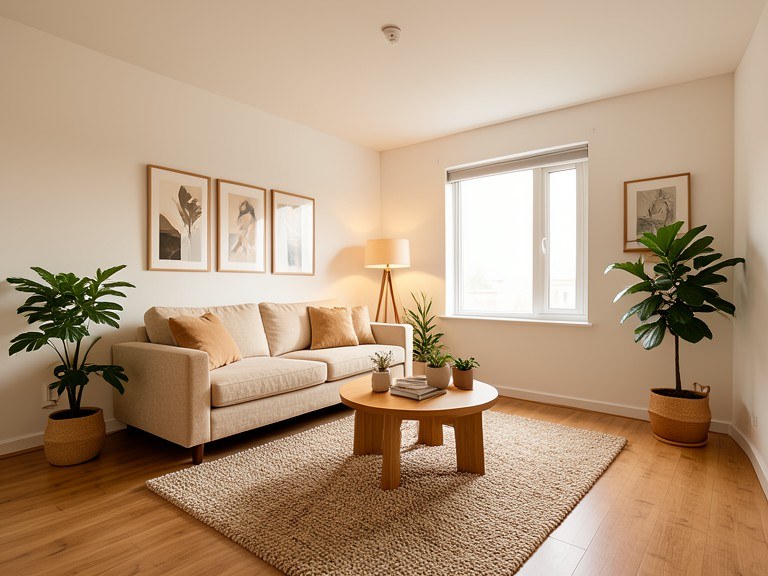
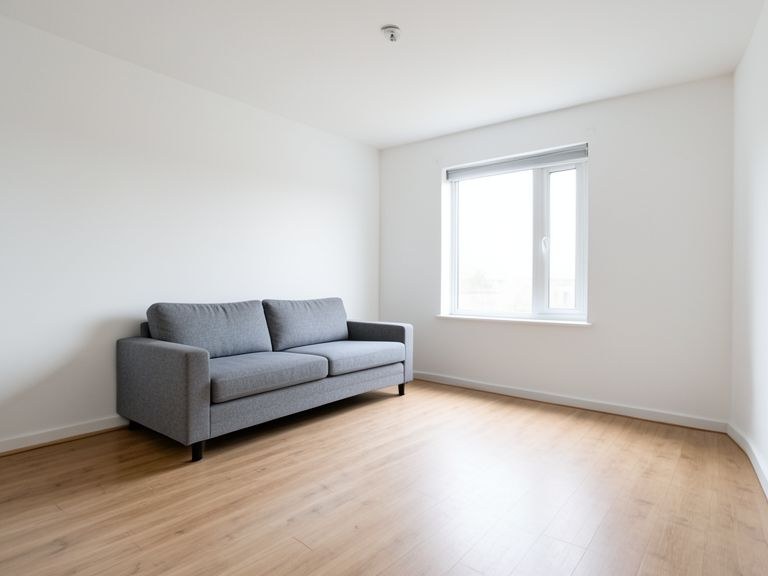
Upload a photo of any room and see it completely redesigned in seconds — new furniture, colors, lighting, and decor in whatever style you choose, rendered onto your actual space with its real windows, proportions, and light. Free AI room design with no sign-up.
Your Room, Any Style, in Seconds
The hardest part of decorating is imagination: you can love japandi on Pinterest and still have no idea whether it works in your north-facing living room. This AI room design tool closes that gap. It reads your room's architecture — window positions, light direction, proportions, flooring — and re-renders the interior in the style you name: Scandinavian, warm minimalist, boho, mid-century, industrial, traditional. Because the bones of the room never change, the preview answers the real question: what would my room look like, not a room.
For Decorating, Staging, and Deciding What to Buy
Homeowners use it to settle style debates before spending — see the same living room in three styles and the argument usually ends itself. Renters preview what's achievable with furniture and textiles alone, since walls and floors can stay untouched on request. Real estate agents and sellers virtually stage empty rooms to help buyers see potential, a proven way to make listings more compelling. And before a big furniture purchase, you can ask for that specific piece — a leather sofa, a walnut sideboard — rendered into your actual room.
Getting Designs You Can Act On
Shoot from a corner at roughly chest height in daylight to capture the most room with the least distortion. Start broad with a style, then direct the details in follow-ups: swap the rug for something warmer, add a reading corner by the window, change the walls to sage green, keep the sofa but restyle everything around it. Each render builds on the last. When you have a version you love, download it and use it as your shopping reference — matching real furniture to a photoreal target of your own room is far easier than decorating from scratch.