Photo to Text Converter
Upload a photo: get the text in it, a description, or an AI image prompt.
Your result will appear here.
Upload a photo or screenshot and pick what you need. Extract text copies out the words in the picture with the line breaks kept, Describe explains what the photo shows in plain language, and Image to prompt writes a prompt you can paste into an AI image generator. Works on phone photos, screenshots, notes, signs, menus and receipts. Free, no account needed.
Photo to text examples
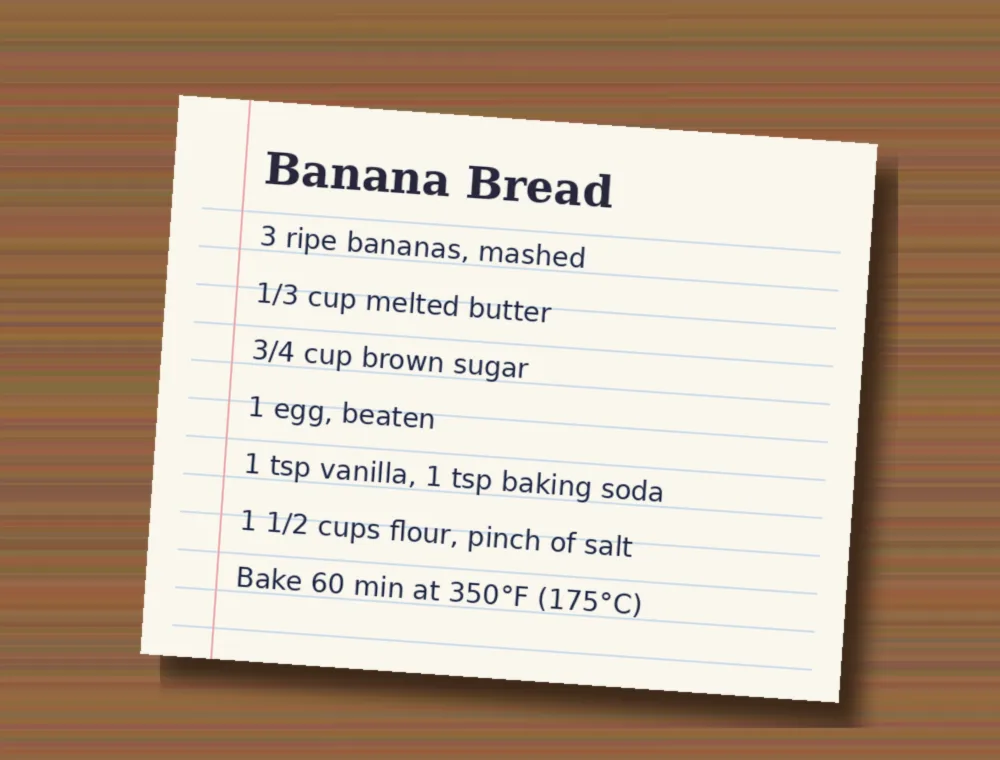
Extract text: a recipe card
Banana Bread 3 ripe bananas, mashed 1/3 cup melted butter 3/4 cup brown sugar 1 egg, beaten 1 tsp vanilla, 1 tsp baking soda 1 1/2 cups flour, pinch of salt Bake 60 min at 350°F (175°C)
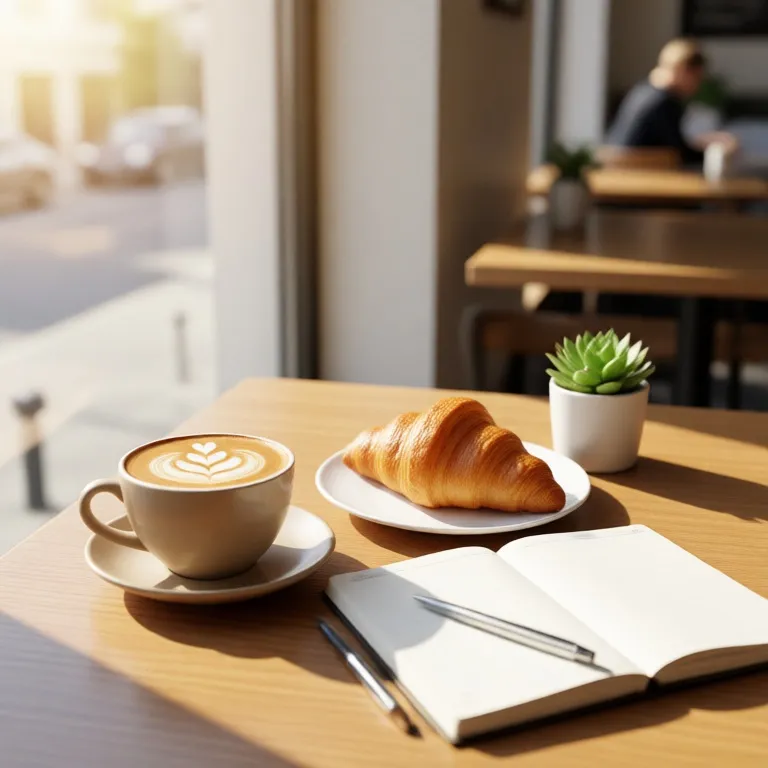
Describe: a cafe table
This is a photograph of a cozy cafe setting on a wooden table. In the foreground, a cup of latte with heart-shaped latte art sits on a saucer next to a golden-brown croissant on a white plate. An open notebook with a pen resting on it lies beside them. A small succulent in a white pot is positioned to the right. The scene is bathed in warm, natural sunlight streaming from a large window, creating soft shadows. In the blurred background, a person sits at another table in a bright, modern cafe interior.
Image to prompt: the same cafe table
A cozy cafe scene on a wooden table, a cup of latte with heart latte art, a golden croissant on a white plate, an open blank notebook with a silver pen, a small succulent in a white pot, warm sunlight streaming through a large window, soft bokeh background of a blurred street and cafe interior, cinematic lighting, high resolution, realistic photography, warm tones.
How to convert a photo to text
Tap the upload box and choose a photo or screenshot (JPG, PNG or WebP). Pick a mode: Extract text, Describe the image or Image to prompt. Press the button and the result appears below in a few seconds. Use Copy to paste it into a note, email or document, or run it again for a fresh take.
Extract text, describe, or image to prompt
Extract text is for photos of words: notes, book pages, signs, menus, receipts, slides and screenshots. It keeps the original language and line order and marks a word it cannot read as [unclear] instead of guessing. Describe gives a short plain-language description, useful for alt text, captions or explaining a picture to someone who cannot see it. Image to prompt turns a picture into one prompt (subject, setting, light, style) that you can reuse in an AI image generator to make something similar.
Tips for clean text from a photo
Shoot straight on, in good light, with the text filling most of the frame. Crop away the background before you upload: the photo is resized to about 1024 pixels on its long side, so small print on a full page reads better when you crop to the part you need. Clear handwriting works; messy handwriting and very small print can come back with mistakes, so check names and numbers before you use them.
Questions
Is the photo to text converter free?
Yes. It is free to use and you do not need an account.
Can it read handwriting?
It reads clear handwriting well. Messy or faint writing can come back with wrong words, and a word it cannot read is marked [unclear]. Always check names, numbers and amounts.
Which languages does it read?
It copies text in the language it is written in and does not translate it. It works best on printed text in widely used languages.
What does Image to prompt do?
It looks at your picture and writes one prompt describing the subject, setting, light and style, so you can paste it into an AI image generator and make a picture in a similar style.
Is my photo saved?
Your photo is resized, read by the AI and kept only in a short-lived cache for the run (about 15 minutes). It is not posted anywhere or shown to other people.
Are all photos allowed?
No. This is a safe-for-work tool: explicit or harmful images are refused.
Make Photo to Text yours
Copy it, change it, translate it or share it. Free, no sign-up needed.
- Remix this toolCopy it and change it
Make your own copy of Photo to Text and change anything: the options, the wording, the style. Your copy gets its own link, and the original stays as it is.
- Create your ownDescribe it, AI builds it
Have a different idea? Describe the tool you want in one sentence, and the AI builds a working tool page for it.
Use Photo to Text in one of 18 languages. If your language is not there yet, it is built for you in about 20 seconds.
Send Photo to Text to a friend with one tap. The link opens the same tool, ready to use.
Related tools
- Office Design AIUpload a space photo and get a modern‑style redesign in seconds.
- Fantasy City Image GeneratorEnter a detailed prompt and receive a photorealistic fantasy city image instantly.
- Delivery Bag Ad CreatorUpload a delivery bag screenshot and get a realistic ad showing it in a delivery man's hand on a modern city street.
- Flying Orange Cat GeneratorDescribe a flying orange cat and get vivid AI images of the scene.
- Apartment Redesign AIUpload a room photo and get a redesigned version ready for renting.
- Expat Rental Virtual StagingUpload a rental photo and get a bright modern furnished version for expat tenants.
- Travel Trailer Scene GeneratorGenerate a cozy rainy forest scene with a travel trailer and an elderly red‑haired woman looking out the window.
- Dark Rain Scene GeneratorCreate a realistic image with a chari, padh, and rain falling under a dark, beautiful sky.
Related personas
- GoHiAI Alternative
- Ciro EspositoChat with Ciro, an AI pizzaiolo in Naples — learn Neapolitan words, real pizza craft, coffee customs, songs and street life.
- Yaiza HernándezChat with Yaiza, a Canarian surf instructor in Las Palmas. Learn Canarian Spanish, papas arrugadas with mojo, gofio, timple music and Carniv
- K-Pop Name GeneratorGenerate catchy K-pop group and idol stage names, complete with concept and member ideas.
- NutritionistBalanced eating & meal ideas.
- Meme GeneratorTurn any topic into meme text and captions — from classic formats to the latest trends.
- Théo SchmittChat with Théo, an AI winemaker from Riquewihr — learn Alsatian words, tarte flambée, wine, Christmas markets and village life in Alsace.
- Nolan LomakemaChat with Nolan, an AI Hopi silversmith and farmer from Kykotsmovi — learn about overlay jewelry, blue corn dry-farming, piki bread and Hopi