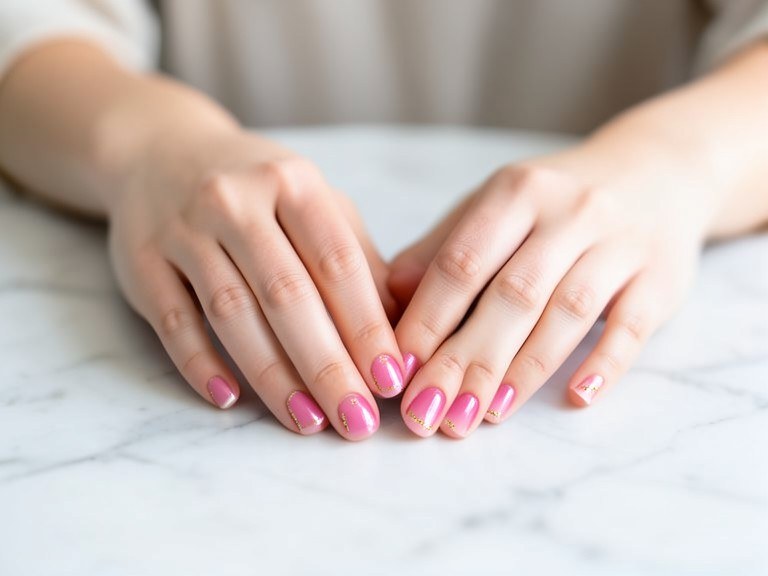
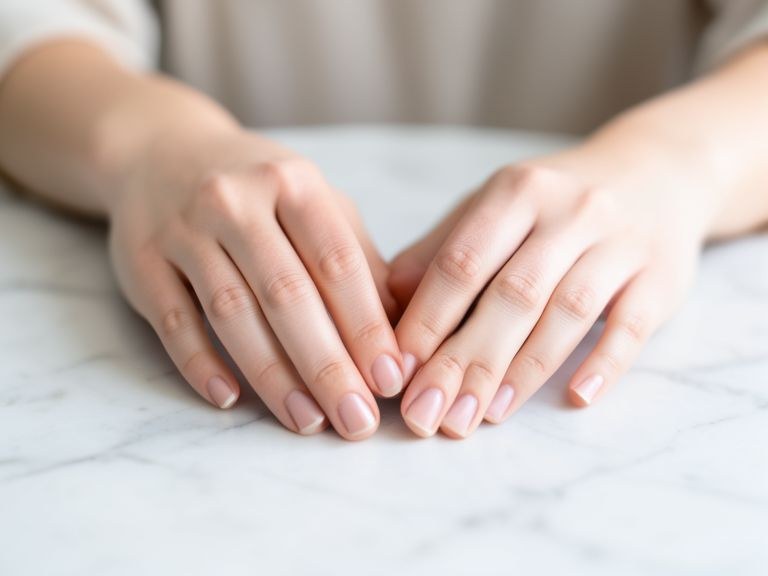
Stop guessing how a design will look from someone else's Pinterest photo. Upload a picture of your own hands and this AI nail art designer paints any color, shape, finish, or art onto your actual nails — photorealistically, in seconds, free and without sign-up.
Preview Any Manicure Before You Commit
A set of gel or acrylic nails lasts weeks, so picking the wrong color or shape is a long mistake. This tool lets you test everything first on your own skin tone and hand shape: classic reds and nudes, chrome and glazed-donut finishes, french and ombre tips, almond versus coffin shapes, short natural looks versus long statement sets. Because the AI renders onto your uploaded photo rather than a generic hand model, you see exactly how the design works with your complexion and finger proportions — the two things that make the same design look different on every person.
From Inspiration to a Reference Your Nail Tech Can Use
Describe any design in plain words — "burgundy matte with one gold glitter accent nail" or "milky white base with tiny hand-painted daisies" — and get a salon-quality preview. When you land on a look you love, download it and bring it to your appointment: a photo of the design on your own hands is the clearest brief a nail tech can get, far better than a screenshot of someone else's manicure. It works the other way too — before buying a press-on set online, preview the style on your hands to check the shape and length suit you.
Getting Accurate, Realistic Previews
Photograph your hand in good, even light with nails clearly visible — flat on a table or in a relaxed pose both work. Bare or lightly polished nails give the cleanest results. Be specific about finish, since it changes everything: glossy reflects light in streaks, matte absorbs it, chrome mirrors the surroundings. Then refine in follow-ups: try the same design one shade darker, swap the shape from square to almond, or add art to just the accent nail. Every variation takes seconds, so you can compare a whole shortlist before choosing.