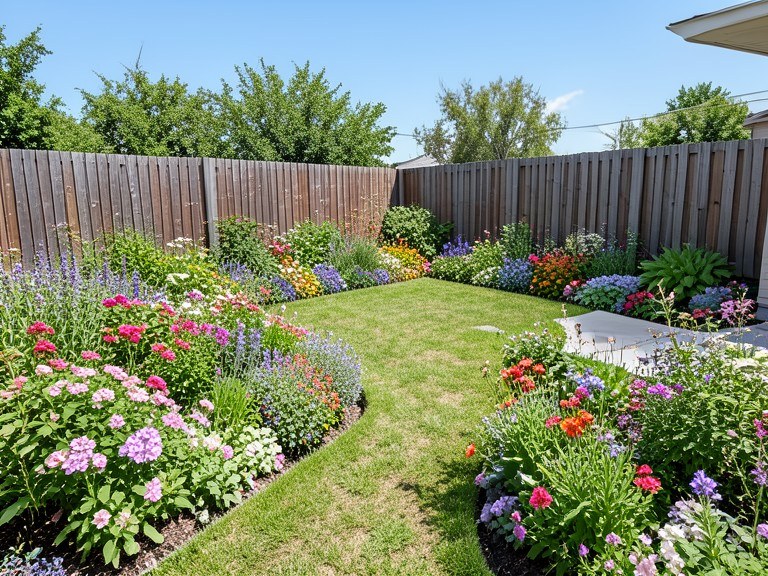
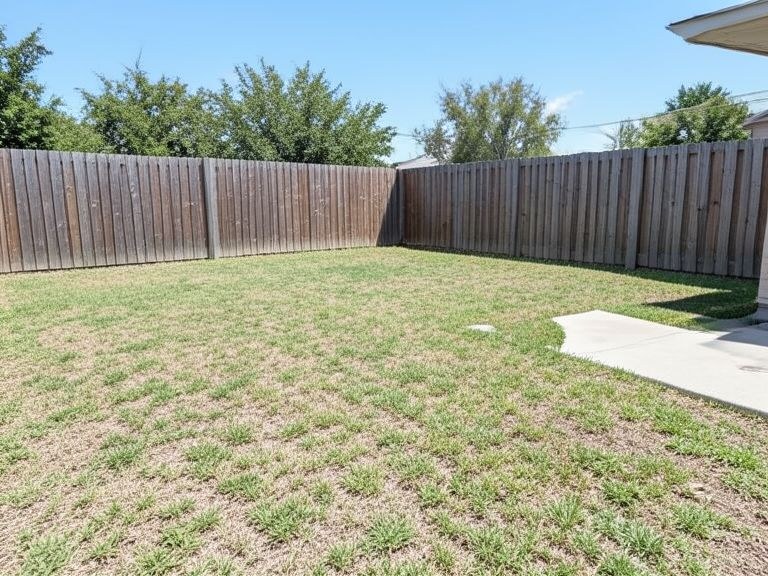
A garden takes years to grow — but seconds to preview. Upload a photo of your yard and this AI garden design tool renders complete makeovers onto your actual space: flower borders, new lawns, paths, patios, raised beds, whole styles from cottage to Japanese. Free, no sign-up.
Design on Your Actual Yard, Not a Blank Plan
Garden design software usually starts from an abstract top-down plan that's hard to connect to reality. This tool starts from a photo of your garden as it stands — patchy lawn, tired borders, and all. The AI reads the space's shape, existing trees, hard landscaping, and light, then renders the design you describe directly onto it, keeping your house, fences, and perspective untouched. The result reads like a photograph of your garden after the makeover, which makes decisions — and family agreement — dramatically easier.
Every Garden Style, from Cottage to Zen
Type a style and see your yard reinterpreted: a cottage garden overflowing with layered flower borders; a modern scheme with clean lines, ornamental grasses, and porcelain paving; a Japanese corner with maple, moss, and raked gravel; a Mediterranean gravel garden that shrugs off drought; a wildlife-friendly design full of native planting. You can also work feature by feature — add a stone path, carve out a seating area, run raised vegetable beds along the sunny fence — and build your garden plan one decision at a time.
From Render to Real Planting Plan
Photograph the garden in daylight from the spot you most often view it — the patio door or kitchen window — so the design is composed for how you'll actually see it. Iterate in follow-ups: more colour in the borders, swap the lawn for gravel and planting, add lighting for evenings. When a version feels right, download it and take it to your garden centre or landscaper: it communicates the vision instantly, and staff can match real, climate-appropriate species to the palette in the render.